
 Image 1 of 5
 Image 2 of 5
 Image 3 of 5
 Image 4 of 5
 Image 5 of 5
Composition & Layout Simplified - ALL IN ONE
Haven't we all had those days were we just couldn't come up with anything but simply drawing a blank? Well I have, and to overcome this, I've created grids to help me out. And I've compiled 25 of the best Grids to help you out.
You can either print it out, draw it in your sketchbook, open it in photoshop or procreate. Whatever works best for you is what I care about. Simply start lettering in the grids and learn how easy it can be.
IN THIS BUNDLE INCLUDED:

Composition has never been easier!
Haven't we all had those days were we just couldn't come up with anything but simply drawing a blank? Well I have, and to overcome this, I've created grids to help me out. And I've compiled 25 of the best Grids to help you out.
You can either print it out, draw it in your sketchbook, open it in photoshop or procreate. Whatever works best for you is what I care about. Simply start lettering in the grids and learn how easy it can be.
What you'll get is 25 different grids as PDF, JPEG, PNG, Photoshop and Procreate files and even Procreate Brushes.
Support:
If you experience any problems not found within these instructions then please to reach out to me via my contact form.
Download:
Save the zipped file to your desktop, uncompress it and then add the items to your iCloud drive to be able to access on your iPad. If you are downloading straight to your iPad then install the free app "FileExplorer Free" onto your iPad first, then you'll be able to open the zip file.
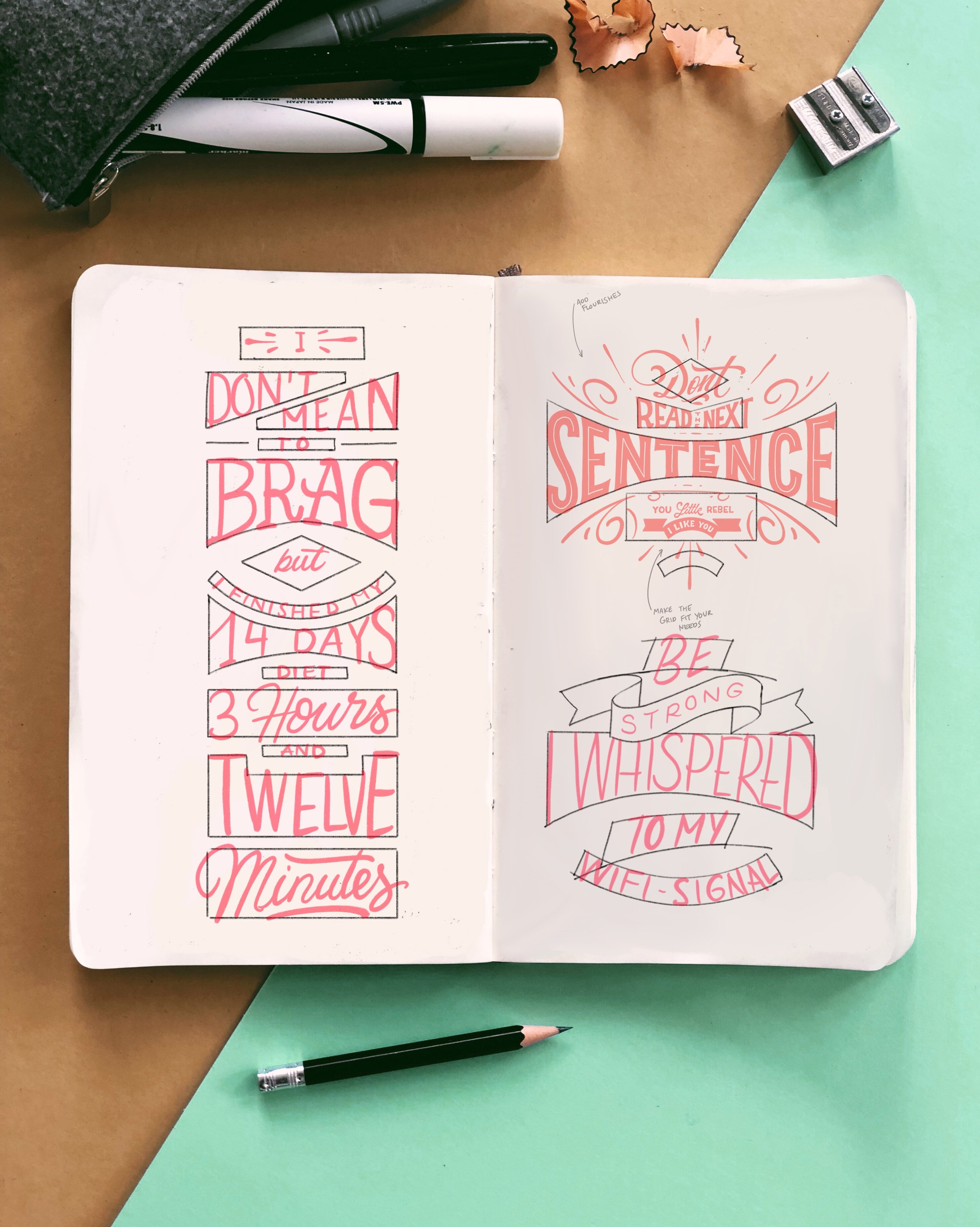
Composition has never been easier!
Haven't we all had those days were we just couldn't come up with anything but simply drawing a blank? Well I have, and to overcome this, I've created grids to help me out. And I've compiled 25 of the best Grids to help you out.
You can either print it out, draw it in your sketchbook, open it in photoshop or procreate. Whatever works best for you is what I care about. Simply start lettering in the grids and learn how easy it can be.
What you'll get is 25 different grids + 2 BONUS grids as PDF, JPEG, PNG, Photoshop and Procreate files and even Procreate Brushes.
Download:
Save the zipped file to your desktop, uncompress it and then add the items to your iCloud drive to be able to access on your iPad. If you are downloading straight to your iPad then install the free app "FileExplorer Free" onto your iPad first, then you'll be able to open the zip file. (The brushes are the same as the Files, but will be displayed in your brush panel)
Support:
Should you experience any problems not found within these instructions then please to reach out to me via my contact form.
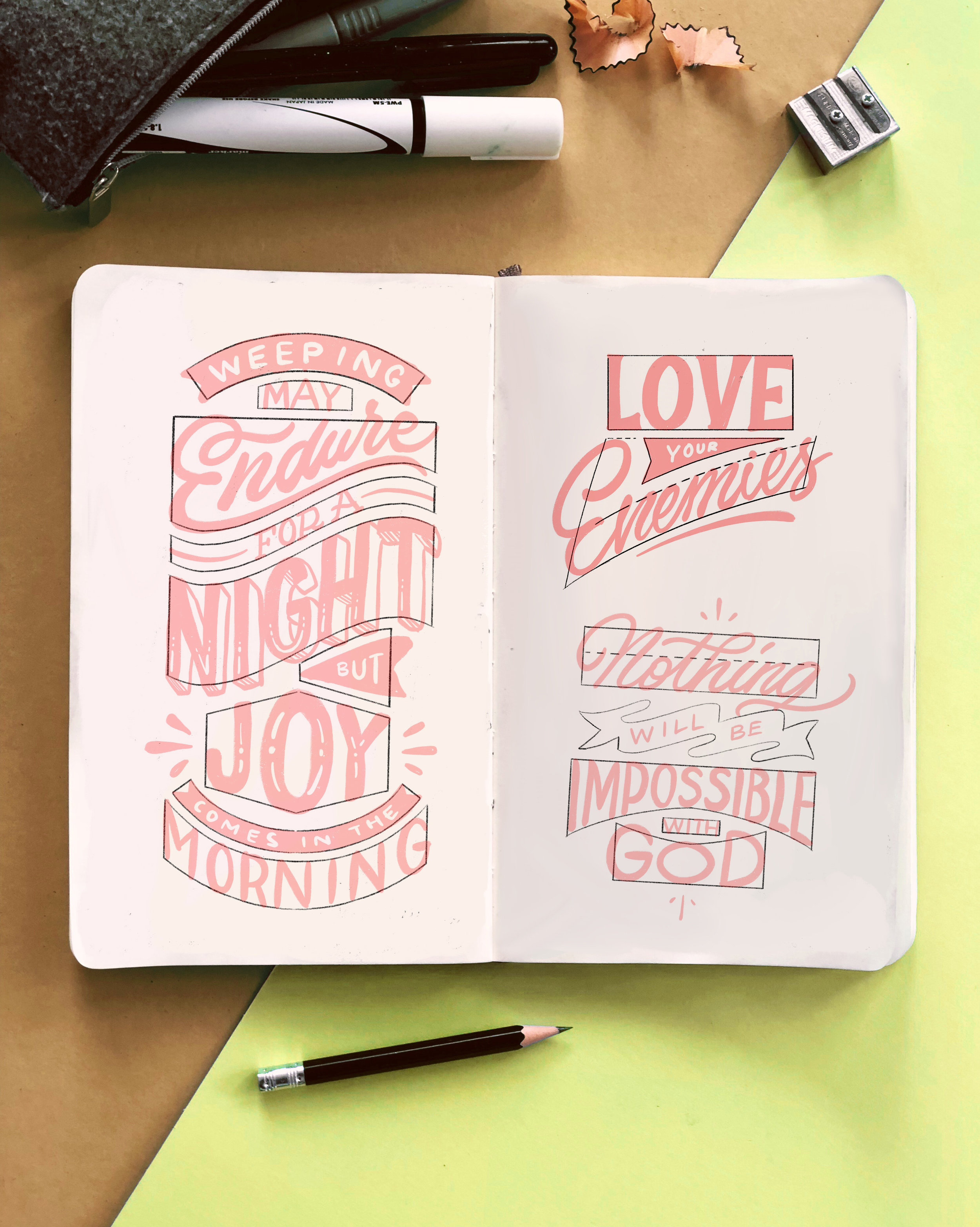
Bible Lettering made simple!
For this Round of #30DaysOfBibleLettering, a project about writing one bible verse every day for 30 consecutive days, I wanted to create this special edition resource to help everyone tagging along for the challenge but also anyone that needs help with their composition.
You can either print it out, draw it in your sketchbook, open it in photoshop or procreate. Whatever works best for you is what I care about. Simply start lettering in the grids and learn how easy it can be.
What you'll get is 30 different grids as PDF, JPEG, PNG, Photoshop and Procreate files and even Procreate Brushes.
Support:
If you experience any problems not found within these instructions then please to reach out to me via my contact form.
Download:
Save the zipped file to your desktop, uncompress it and then add the items to your iCloud drive to be able to access on your iPad. If you are downloading straight to your iPad then install the free app "FileExplorer Free" onto your iPad first, then you'll be able to open the zip file.

Over 100 different PreComposed Grids as PDF, JPEG, PNG, Photoshop and Procreate files and even Procreate Brushes.
Download:
Save the PDF “COMPOSITION MEGA BUNDLE” file to your device of choice and open the OneDrive link and download the files to your Computer. uncompress it and then add the items to your iCloud drive to be able to access on your iPad. If you are downloading straight to your iPad then install the free app "FileExplorer Free" onto your iPad first, then you'll be able to open the zip file. (The brushes are the same as the Files, but will be displayed in your brush panel)
Support:
Should you experience any problems not found within these instructions then please to reach out to me via my contact form.
TRY IT. LOVE IT. Or Money Back.